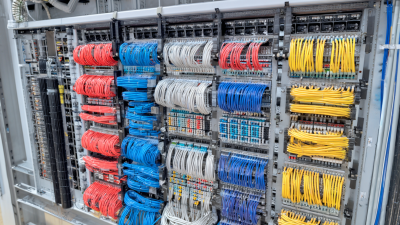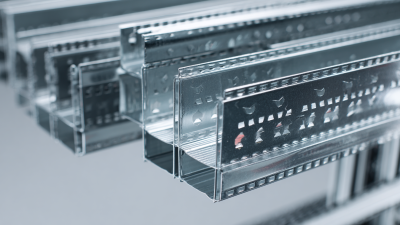
For over 50 years, we have dedicated ourselves to providing Industry with best in class wire management solutions and to helping solve mission critical issues.

The needs of today’s schools and universities are changing fast. When it comes to anticipating and meeting those needs, MonoSystems is in a class of its own.

For the past five decades, we’ve made it our business to offer more value to our partners, which in turn provides greater value to their customers.
Choosing the best cable tray desk in 2026 requires more than comparing prices and attractive finishes. The global office furniture market was valued at approximately $58.68 billion in 2023, according to Fortune Business Insights, and is projected to reach about $87.34 billion by 2032. That growth reflects changing work habits, smaller home offices, and stronger demand for organized technology spaces.
A reliable cable tray desk should support clean routing, stable equipment placement, and comfortable daily use. Look for a tray wide enough for power strips, USB hubs, and monitor cables. Check whether it is removable, ventilated, and secured beneath the desktop. The frame should also resist shaking when typing or adjusting a monitor arm. ANSI/BIFMA desk-product standards provide useful benchmarks for strength, durability, and stability, although certification does not guarantee perfect cable access.
Ergonomics matters just as much. Dr. Alan Hedge, a respected workplace ergonomics researcher, often stated, “The best posture is the next posture.” A desk that allows movement, height adjustment, and uncluttered legroom can support that principle. Still, cable management is easy to overvalue. A beautiful tray cannot fix a desk that is too shallow, too rigid, or poorly positioned beside a wall. Measure the workspace first. Then test reach distance, tray clearance, and outlet location. The ideal cable tray desk is not necessarily the most expensive model. It is the one that keeps cables controlled without making everyday adjustments frustrating. Small compromises remain. That is worth admitting.
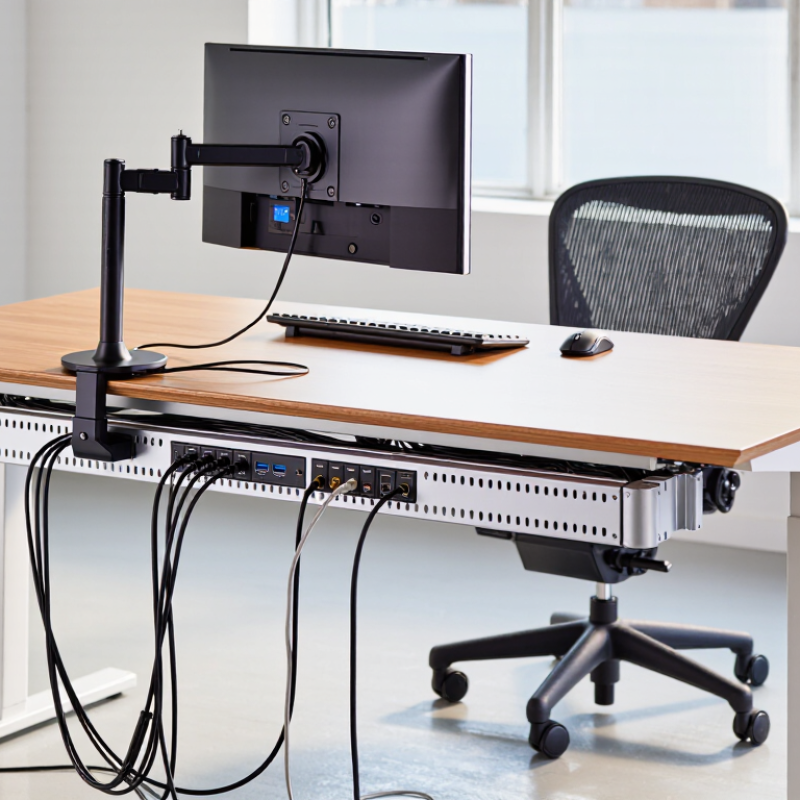
A cable tray desk combines a work surface with an under-desk channel for wires. The tray holds power strips, chargers, and excess cable length. This keeps cords away from your feet and reduces visual clutter. A well-organized workspace also makes cleaning easier. You can reach the floor without moving a tangled bundle.
The best cable tray desk should match your daily equipment. Check the tray’s width, weight capacity, and mounting position. A tray that sits too close to your knees can become irritating. Leave room for chair movement and sit-stand adjustment. Look for smooth edges, stable fasteners, and openings that support airflow around adapters. In practical use, separate power cables from monitor and data cables. This makes troubleshooting faster when one device stops working. I once assumed a larger tray was better. It actually encouraged me to keep unnecessary cables.
Tips
Measure every cable before choosing the desk. Add a little extra length for movement. Use reusable ties, not tight knots. Label both ends of important cables. Place frequently used chargers near the front. Keep heavier adapters near mounting points. Check the tray after a week. Your first layout may not be perfect. That is normal. A cable tray desk works best when it supports real habits, not an idealized workspace.
How to Choose the Best Cable Tray Desk in 2026?
Choosing a cable tray desk in 2026 starts with your space, not its finish. Measure desktop width, depth, and the clearance behind the desk. Leave at least 8–10 centimeters for plugs and cable bends. Check wall sockets, monitor arms, and nearby drawers before selecting a tray. A narrow tray may look tidy but quickly becomes crowded. I still measure twice, because one overlooked power brick can change the entire layout.
Your devices define the tray’s real capacity. Count monitors, laptops, chargers, speakers, hubs, lamps, and future equipment. Cisco’s Annual Internet Report estimated 29.3 billion networked devices worldwide by 2023. That figure shows why modern desks need flexible routing, not a single narrow channel. Separate power cables from data cables where practical. Keep adapters accessible. Do not bury them behind fixed panels. Small details matter.
Cable length also deserves attention. Extra cable creates loops, while short cables pull against ports. Select a tray with enough depth for power strips and ventilation. ANSI/TIA-569-E provides guidance for telecommunications pathways and separation, which can inform organized desk routing. The 2024 Global E-waste Monitor reported 62 million tonnes of electronic waste in 2022. A replaceable, adjustable tray can support repairs and device changes. My own mistake was planning for today’s setup only. Six months later, a new dock made the tray feel undersized. Leave room for change, even when the desk looks slightly less perfect.
How to Choose the Best Cable Tray Desk in 2026?
Choosing a cable tray desk in 2026 means comparing the tray before admiring the desktop. Design affects airflow, legroom, cleaning, and future upgrades. Wire basket trays suit dense adapters because their open mesh exposes heat and dust. Solid trays look cleaner, but they can trap warmth beneath power bricks. Flat channels work for thin cables; deeper raceways handle chargers, hubs, and docking stations. Grand View Research forecasts the global cable management market to grow at about 7.4% annually through 2030, reflecting more connected workstations.
Material changes both durability and weight. Powder-coated steel resists bending under several power supplies. Aluminum weighs less and usually feels easier to reposition. Recycled polymer can reduce cost, but its clips may become brittle over time. I once preferred a neat solid tray, then discovered dust buildup behind the adapters. That was a poor practical choice. Clamp-mounted trays protect the desktop and suit renters. Screw-mounted trays feel steadier, but require accurate drilling. Under-desk rails offer flexibility when desk thickness changes.
Tips: Measure the desk thickness first. Check the tray’s tested load rating, not its appearance. Leave space around power bricks for ventilation. Add a removable divider for network and power cables. The 2024 Gensler Research Institute workplace survey links effective work settings with better employee experience, yet cable storage is often overlooked. A tray should disappear during work, not become another obstacle.
| Tray Design | Common Materials | Typical Mounting Style | Best Suited For | Main Advantages | Points to Compare |
|---|---|---|---|---|---|
| Wire mesh basket | Powder-coated or plated steel; stainless steel options | Screws into the underside of the desk; some models use clamps | Mixed power and data cables, power strips, and larger cable bundles | Open construction promotes airflow and makes cables easy to add or remove. | Check basket depth, edge finish, fastener requirements, and whether the desk underside can accept screws. |
| Solid cable tray | Painted or galvanized steel; aluminum | Typically screw-mounted to the desk or attached to a support frame | Installations where cables should be concealed or protected from dust and incidental contact | Provides a continuous surface that helps contain loose cables and accessories. | Less open than mesh, so consider access, ventilation, tray capacity, and clearance beneath the desk. |
| Perforated metal tray | Powder-coated steel; galvanized steel; aluminum | Screw-mounted or secured to brackets beneath the desktop | Setups needing more containment than an open basket while retaining some airflow | Perforations allow ventilation and can provide multiple points for cable ties. | Compare hole pattern, opening size, usable width, and whether cable ends can snag on edges. |
| Under-desk cable raceway | Steel, aluminum, or molded plastic | Screws, clamps, or manufacturer-specified adhesive attachment | Neater routing of a modest number of cables along the rear or side of a desk | Often has a low-profile shape and can help keep cables close to the desktop. | Check entry openings, cover access, adhesive suitability, and compatibility with the desk finish. |
| J-channel cable holder | Plastic or powder-coated metal | Screws, clamps, or adhesive pads, depending on the design | Small cable bundles that need frequent access, such as monitor or charging cables | The open side makes it quick to place cables in or take them out. | Usually offers less containment than a basket or enclosed raceway; check channel depth and opening direction. |
| Clamp-on cable tray | Steel or aluminum, commonly with padded clamps | Clamps to the desk edge without drilling | Rented spaces, temporary workstations, or desks where drilling is not permitted | Can be removed or repositioned without making screw holes. | Measure desktop thickness and edge shape; verify clamp clearance, padding, and available under-desk space. |
Selection note: Confirm desk thickness, underside clearance, cable and power-strip dimensions, and the tray maker’s stated load capacity before purchase. Use mounting hardware suited to the desk material, and keep power cables separate from data cables where practical.
How to Choose the Best Cable Tray Desk in 2026?
A reliable cable tray starts with capacity, not appearance. Check its maximum load and compare it with every cable, adapter, power strip, and mounting accessory. Leave extra space for future devices. A tray packed tightly can press cables against sharp edges. It also makes cleaning difficult. Measure the tray’s internal width and height before buying. Do not trust photographs alone.
Installation quality affects long-term safety. Inspect the desk underside for its material and thickness. Solid wood, composite panels, and metal surfaces need different fasteners. Use screws or clamps rated for the desk structure. Avoid drilling near existing electrical wiring. The tray should remain level when loaded. I once mounted a lightweight tray too close to the desk edge, and it slowly pulled away. The mistake was small. The repair was not.
Cable safety requires deliberate routing. Separate power cables from data cables where practical. Protect every cable from sharp tray edges with sleeves or smooth grommets. Keep connectors off the floor, away from spilled drinks and moving chair wheels. Maintain each cable’s recommended bend radius. Avoid crushing cables behind the tray. Check for heat around adapters after several hours of use. If anything feels warm, loose, or strained, stop and inspect it. Local electrical requirements still apply, even beneath a desk.
The chart shows practical reference checkpoints for evaluating a cable tray desk. A tray should normally be planned below the applicable fill limit to leave room for airflow, future cables, and easier maintenance. The 40% value is a common maximum used for larger multiconductor cables under NEC cable-tray provisions; exact limits depend on cable type, size, installation method, and local code. Always verify the tray’s published load rating, support span, cable bend radius, and fire-safety requirements before installation.
How to Choose the Best Cable Tray Desk in 2026?
A cable tray desk should match your working habits, not just your room style. I once chose a low-cost desk with a shallow tray. It looked tidy, but the power adapter kept falling out. My first estimate was wrong. Measure your equipment before comparing prices. Include the monitor stand, laptop charger, hub, speakers, and spare cable length. A tray should hold these items without bending cords sharply.
For a limited budget, prioritize a stable frame, a useful tray, and simple height adjustment. Decorative finishes can wait. Check the tray’s weight rating and attachment points carefully. Thin metal may flex under several adapters. Solid mounting hardware matters more than a polished surface. Spend more when you use heavy monitors, recording equipment, or multiple screens every day. Your back may notice the difference.
Think three years ahead. Leave space for another screen or a larger docking station. Choose a desk with replaceable parts when possible. A damaged tray should not force you to replace the whole desk. Cable clips and under-desk outlets can also reduce future clutter. However, buying every feature now can waste money. My own setup still has an unused accessory channel. Review your likely upgrades, then pay for practical capacity rather than imagined needs.